Templates
Choose one of four built-in email templates, or export and customize them, or write your own.
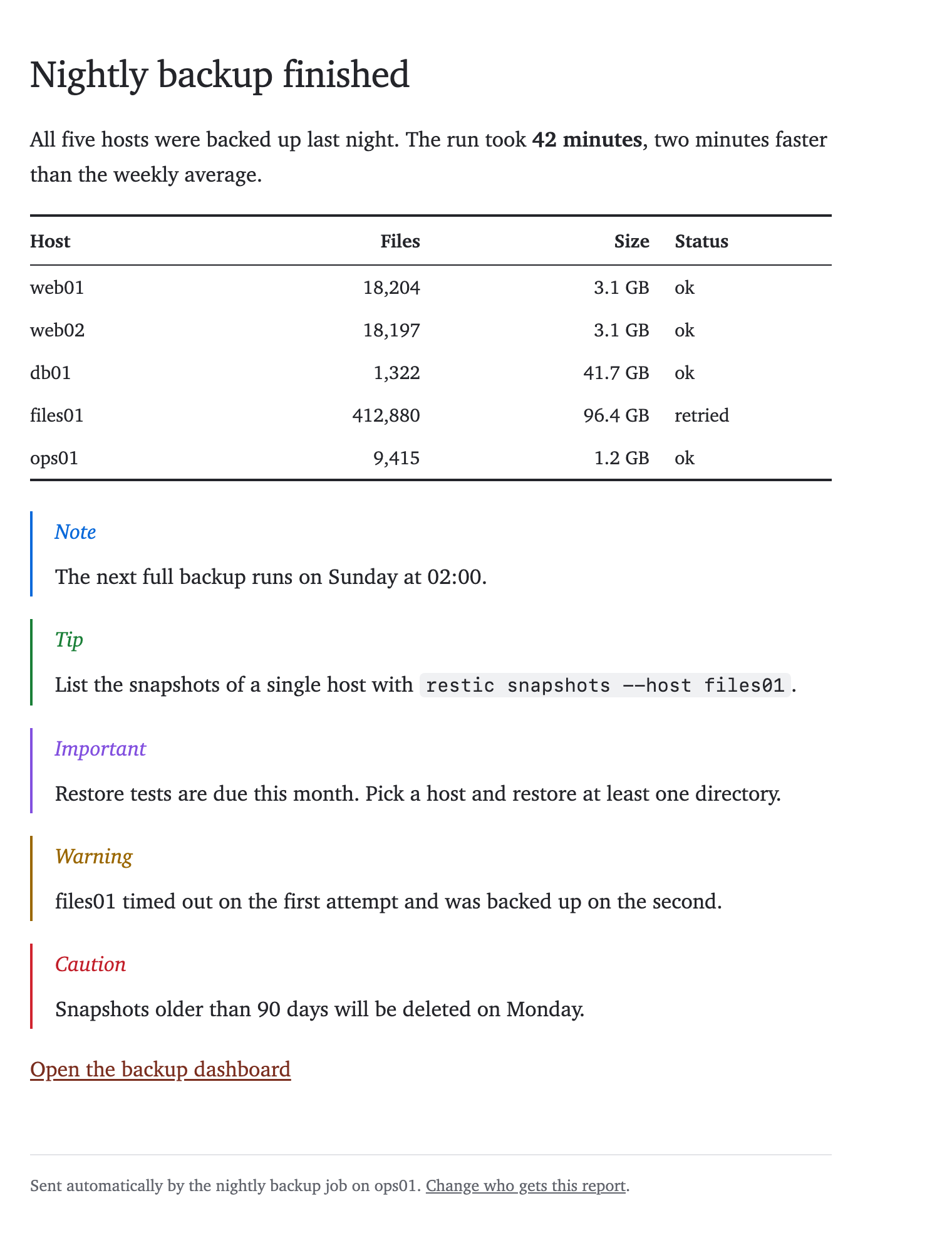
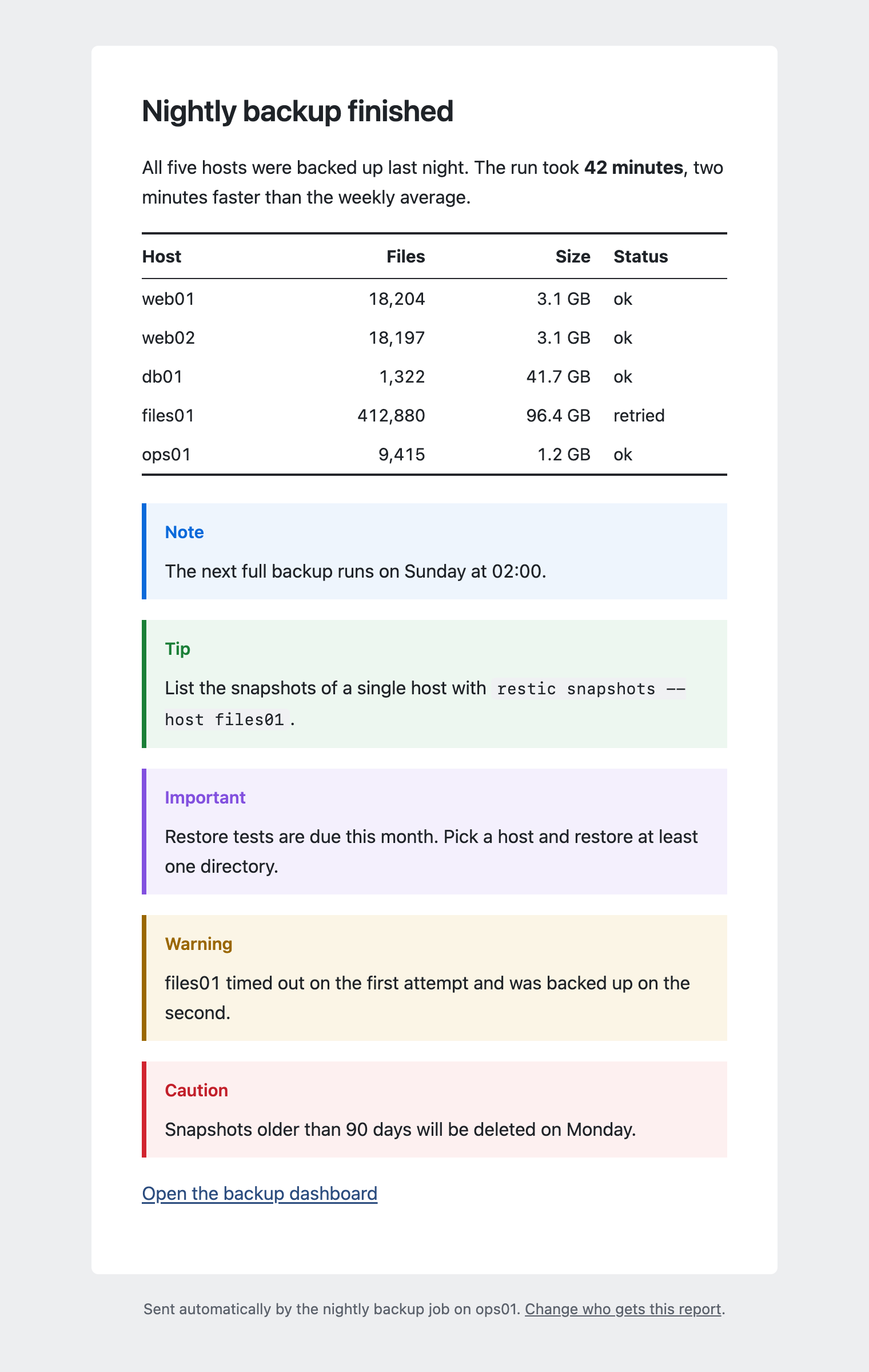
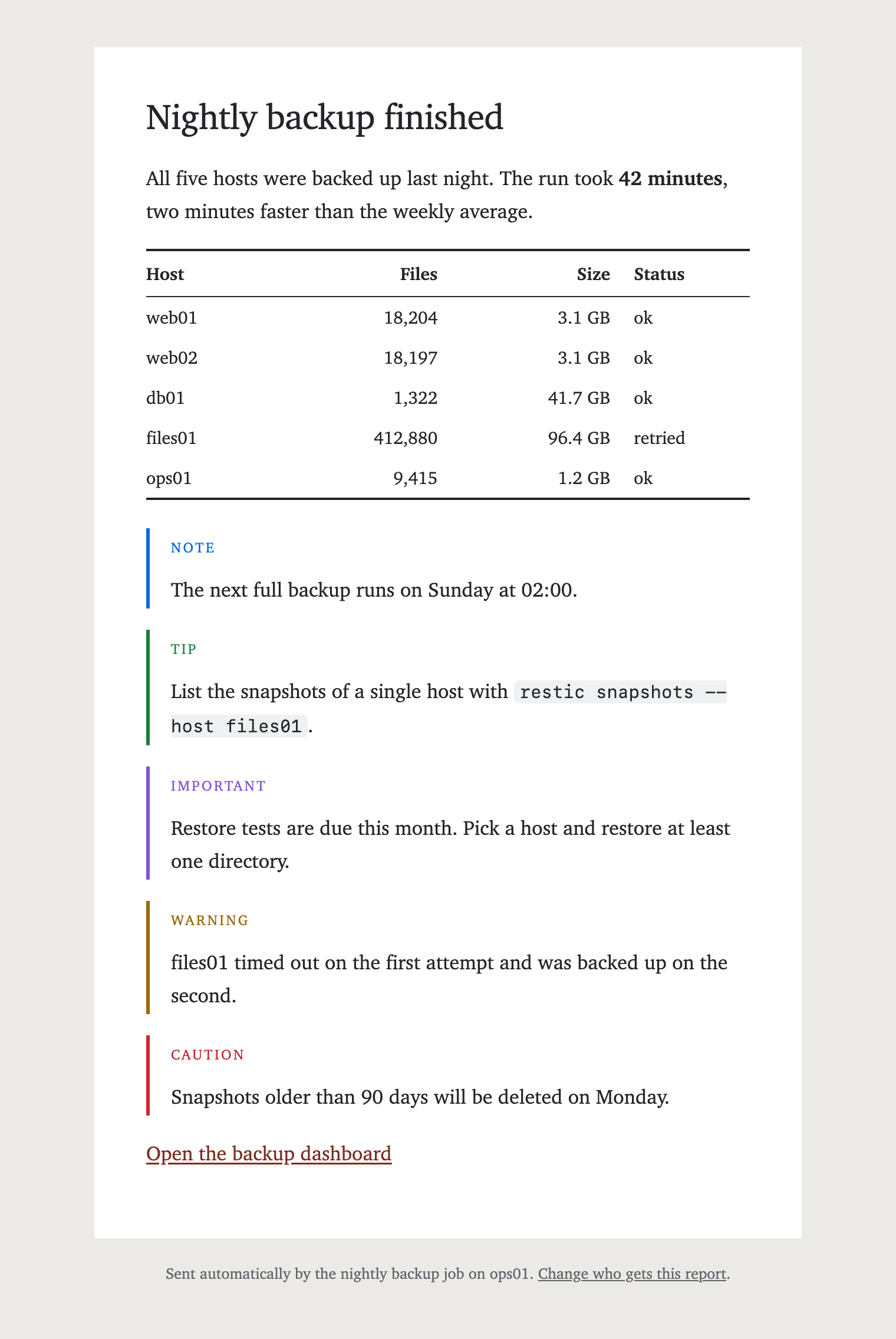
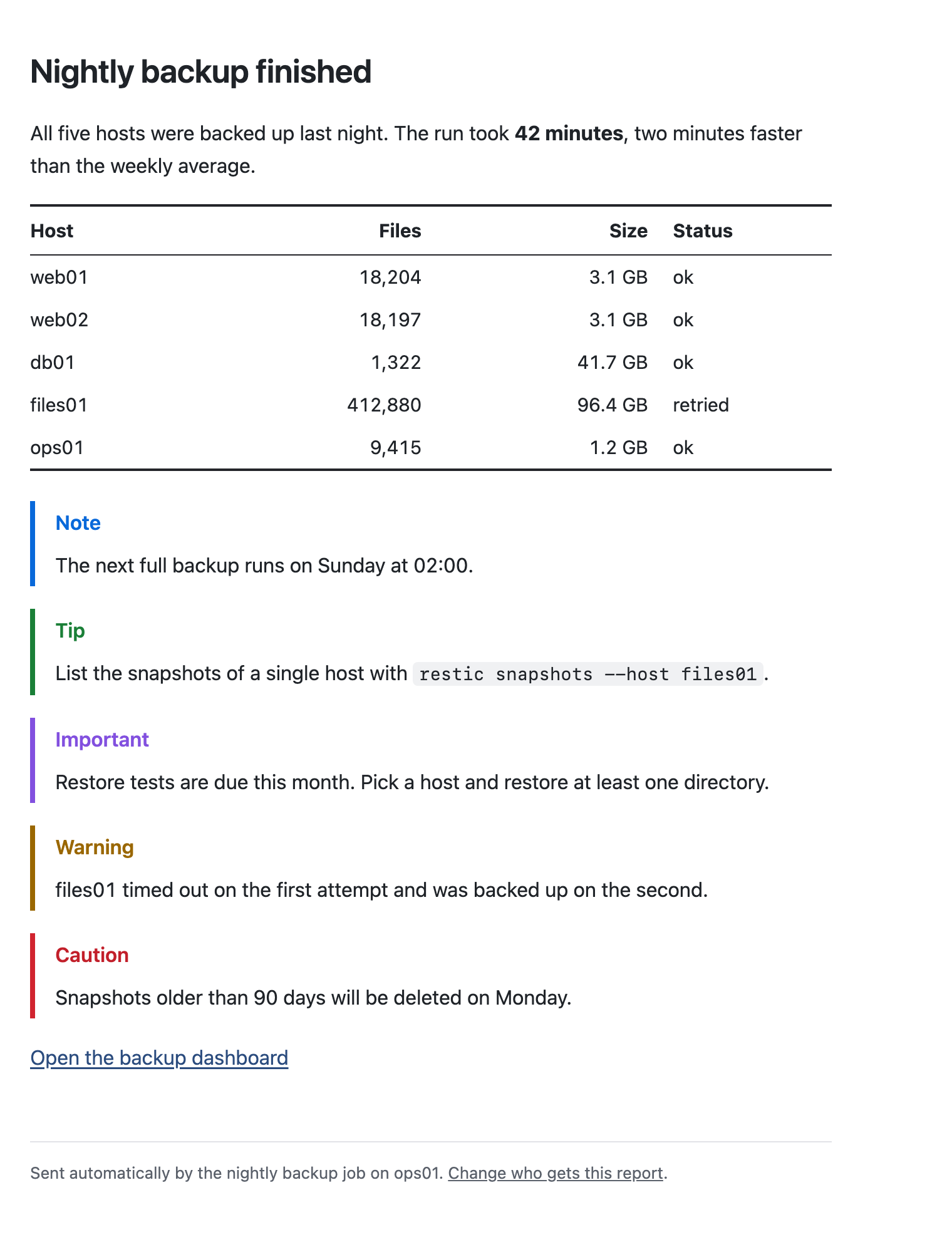
--md and --html bodies are wrapped in one of four built-in templates. There are two layouts, card and plain, and
each comes in a sans-serif and a serif variant.
| Template | Layout | Font |
|---|---|---|
card | white card, 600 px wide, centered on a gray page | sans-serif |
card-serif | white card, 600 px wide, centered on a gray page | serif |
plain | no background, left aligned, up to 640 px wide | sans-serif |
plain-serif | no background, left aligned, up to 640 px wide | serif |
card is the default. To use another template for a single email, pass --template:
mailfire --md --template plain-serif --to user@example.com --subject "Nightly backup finished" --file report.md
To change the default, set template in the [sending] section of the configuration file:
[sending]
template = "plain"
All templates support dark mode and small screens, and they render in Outlook.
Custom templates
Export editable, self-contained copies of all four built-ins:
mailfire export-templates ./my-templates
mailfire --md --template-file ./my-templates/card.html --to user@example.com --subject "Report" --file report.md
The export command creates the folder and refuses to overwrite existing template files.
Edit the HTML and CSS (including .content table, th and td rules), or write your own file.
Custom templates use Go text/template syntax. Available fields are .Subject, .Lang
(defaults to en), .Preheader, .Body and .Footer. Escape plain text with {{html .Subject}}
and {{html .Preheader}}; insert HTML with {{.Body}} and {{.Footer}}.
Use {{with .Footer}}...{{.}}...{{end}} for optional blocks. Outlook conditional comments
are preserved, and CSS is inlined just as for built-in templates.
While editing, render a local preview instead of sending test emails. It needs no provider credentials:
mailfire --md --template-file ./my-templates/card.html --file report.md --preview report.html
See Local preview for details.
To configure a custom default:
[sending]
template_file = "./my-templates/card.html"
template_file and template are mutually exclusive in config, as are --template-file
and --template on the command line. Either flag overrides the configured default.
Paths support ~; relative paths are resolved from the current working directory.
The flag requires --md or --html; configured defaults apply only to those formats.
Fonts
The fonts come with the operating system, so nothing is downloaded. Each font list starts with fonts that are installed by default on macOS/iOS, Windows, Android and Linux. Arial and Times New Roman are only used if none of the others is available.
- Sans-serif: system-ui, -apple-system, Segoe UI, Roboto, Helvetica Neue, Noto Sans, Liberation Sans, Arial
- Serif: Charter, Bitstream Charter, Sitka Text, Cambria, Georgia, Times New Roman
Alerts
In Markdown bodies you can use GitHub-style alerts. Each template gives them its own look, as shown in the screenshots below:
> [!NOTE]
> The next full backup runs on Sunday at 02:00.

> [!TIP]
> List the snapshots of a single host with `restic snapshots --host files01`.

> [!IMPORTANT]
> Restore tests are due this month. Pick a host and restore at least one directory.

> [!WARNING]
> files01 timed out on the first attempt and was backed up on the second.

> [!CAUTION]
> Snapshots older than 90 days will be deleted on Monday.
As on GitHub, the marker must be on its own line, and alerts only work at the top level, not inside lists or other
quotes. In the plain-text part of the email, an alert appears as a quote that starts with its type, e.g. > NOTE.
Screenshots
All screenshots show the same message, sent with --md, --preheader and --footer.
card
card-serif
plain
plain-serif